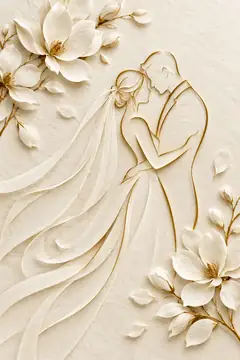


WeddingThe church service and the reception, with both venues on a map✦ Online invitations · free
Pick the event, make the invitation with our illustrations or your own photo, add guests from your phone contacts and send it to each of them on WhatsApp or by SMS. Everyone replies online, and you see in one place who is coming, how many people and which menu.
Choose below, then write your invitation. You can change the picture, the text and the colours at any time.
Choose the event, the picture and the words. Add the date, the venues and what you want to ask: how many people, children, menu.
From your phone contacts (Chrome on Android), a pasted list, a .vcf or .csv file, or by hand.
For each guest, WhatsApp or SMS opens with the message and their personal link already written. You tap “Send” and move on to the next one.
Everyone opens an envelope with their name on it and replies. The dashboard shows who you have sent it to, who has opened it, who is coming, how many and which menu; download it all for Excel.

Every picture in the studio comes from a story: saints, parables, the Old Testament. You will find them in the 8 Light Between the Pages volumes.
See the books →The cards are free. We make them as a gift for the people who read our books.
No. Invitations, replies and the dashboard are free, with no account and no ads.
No, and no other website can either without a paid service: your phone does not let a web page send messages on its own. Here you tap once per guest: WhatsApp or SMS opens with the message already written and you tap “Send”. For 50 guests it takes a few minutes. Fully automatic sending would need a paid SMS or WhatsApp Business provider.
Yes, on Android phones in Chrome: the “Choose from my phone contacts” button opens your contacts and you tick who you want. On iPhone and on computers the browser is not allowed to read your contacts; there you paste a list (a name and a number on each line) or choose a .vcf / .csv file exported from Contacts or Google Contacts.
They are used only so that you can send this invitation. We never pass them on or use them for anything else. They are deleted with the invitation (you can delete it from the dashboard at any time) or automatically 60 days after the event.
In your RSVP dashboard (we also email you the link): for each guest you see whether you sent the invitation, whether they opened it, whether they are coming, with how many people and which menu. You also get an email for every reply.